环境
Linux Mint 19.2 cinnamon x64
SecureCRT 8.5.4(build 1942)
问题
安装了新的字体后,在SecureCRT的设置中显示不出来。
解决
1、打开SecureCRT
2、点击”Options”
3、查看SecureCRT配置文件夹的路径
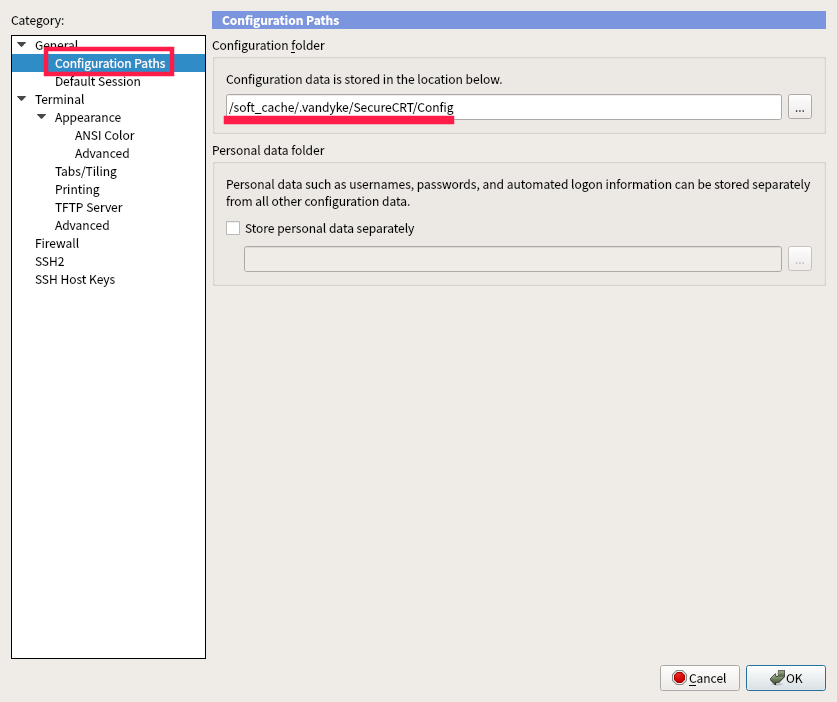
4、打开配置文件夹路径,打开Global.ini文件
5、修改”Allow Proportional Fonts”的值(默认是00000000)
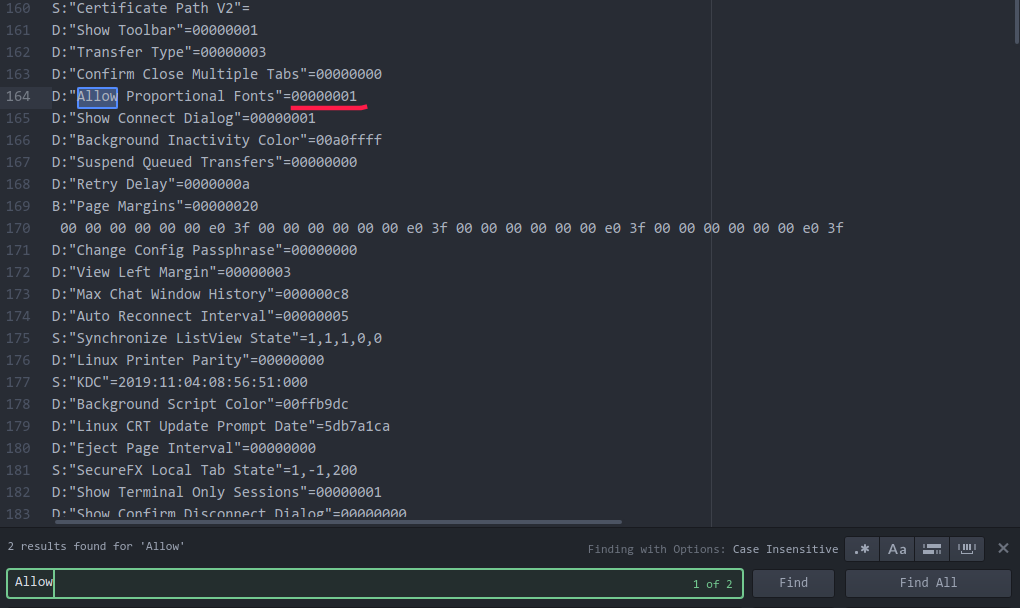
6、重启SecureCRT
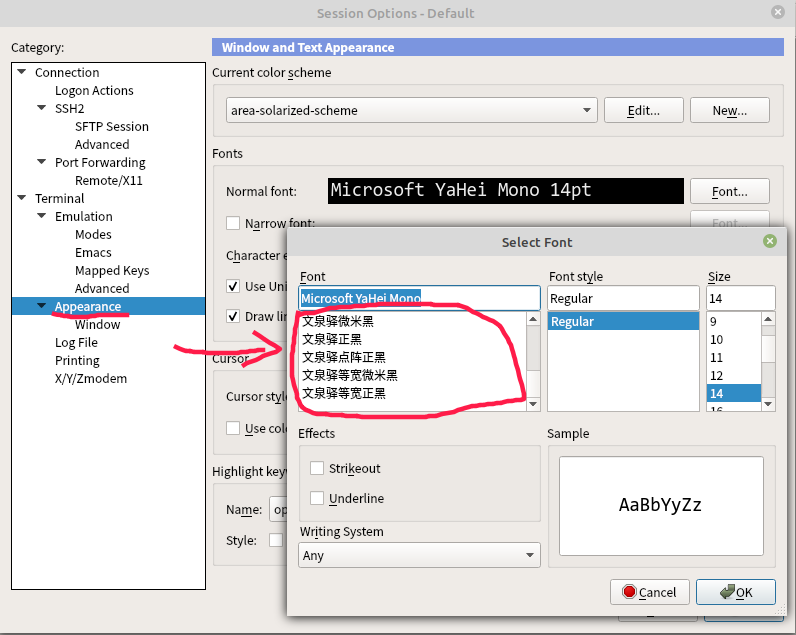
7、再打开设置,就可以看到那些被隐藏的字体了。
– END –
参考
SecureCRT only lists fonts that are marked as “fixed width” in the font definition.
SecureCRT仅显示系统中所有被标记为等宽的字体。
If they (other system fonts) do not show up in SecureCRT it is because they and are missing this “fixed width” designation.
如果他们(其他的系统字体)没有出现在SecureCRT中,那是因为他们缺少此“固定宽度”的标记。
In this particular case, if a font is “fixed width” but its font designation does not indicate it, then you can allow SecureCRT to display non-fixed width fonts by setting the “Allow Proportional Fonts” value to 00000001 in your Global.ini file in SecureCRT’s Config folder.
在这种特殊情况下,如果字体为“固定宽度”,但其字体名称未标记等宽,则可以通过将SecureCRT 配置文件下Global.ini文件中的“Allow Proportional Fonts”参数修改为 00000001,来允许SecureCRT 显示非固定宽度的字体。
Waring: If you will have display problems because glyphs within the font do not all have the exact same width.
警告:如果您选择的字体不是等宽的,则会出现显示问题,因为该字体内的字形并非都具有完全相同的宽度。